Plant Identifier - Scan & Care
- 3.9
- Rating
- 1.00M
- Installs
- Free
- Price

 Analysis by App-foxy
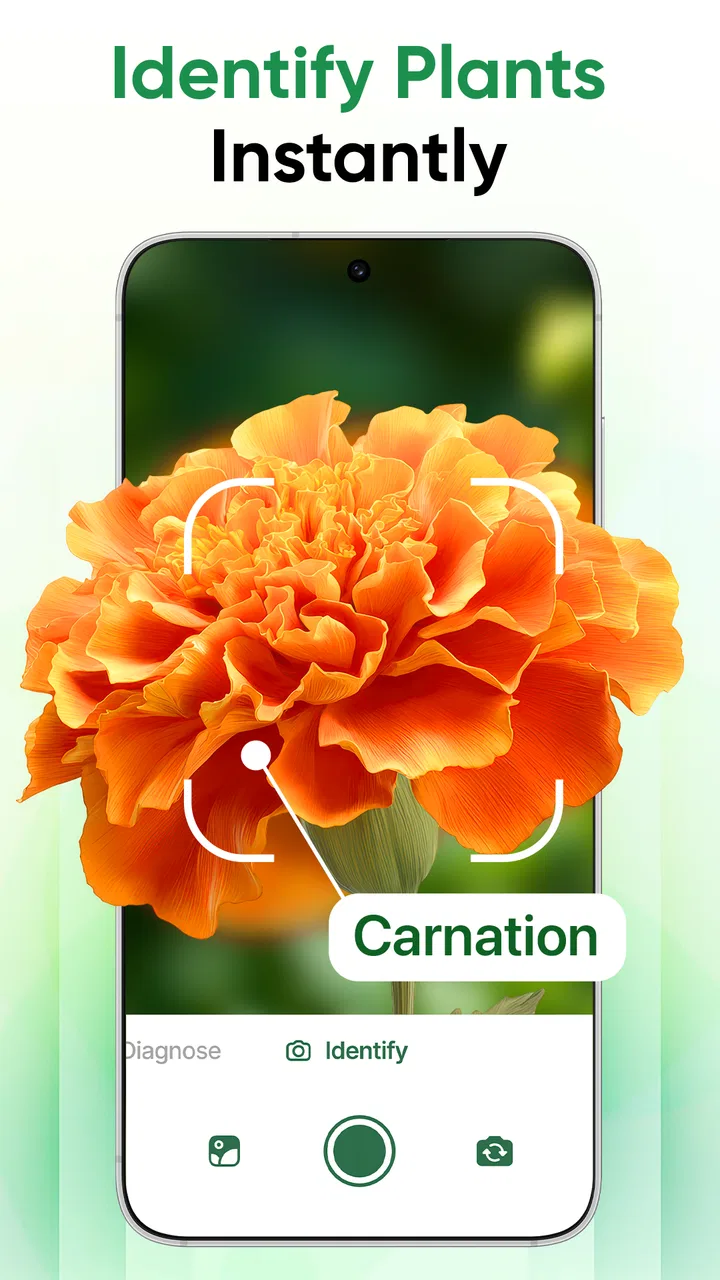
I tried Plant Identifier - Scan & Care as an everyday education app rather than treating it like a botanical reference book, and that distinction matters. Its main appeal is immediate: point your phone at a plant, use the identification workflow, and then turn that moment of recognition into a better care decision. The experience is aimed at people who want practical help with houseplants, garden finds, or unfamiliar leaves without first learning a long list of botanical terms.
It is a free app from ZAppsolution, available to an Everyone audience, with a 4.0 average from around 9,700 ratings and more than a million installs. Those figures suggest that it has reached well beyond a small group of plant enthusiasts, but I would still approach it as a convenient assistant rather than an authority that should replace careful observation or specialist advice.
How the scan fits into real plant care
The strongest part of the concept is the short path from curiosity to action. A plant-identification app is most useful when it answers a question at the moment it appears: “What is this?” is often followed by “Where should I put it?”, “How often should I water it?”, or “Why does this leaf look different?” The store summary presents the app around AI identification and leaf health, so its value is not limited to naming a plant. It is intended to connect recognition with nurturing.
You May Also Like

 Blood Strike: 2.5 Anniversary
Blood Strike’s Loadouts Turn Every Drop Into a Tactical Gamble
A close look at Blood Strike’s custom loadouts: how fast access to signature weapons reshapes its battle royale rhythm, rewards preparation, and narrows the gap between fights.

 Pandora - Music & Podcasts
Pandora’s Music Is Easy to Start, but Harder to Recover
Pandora’s strength is its low-effort path from a seed to a station. Its weak spot is how much confidence it asks you to place in connection, setup, and quiet recovery.

 8 Ball Pool
 Is Built on Rivalries, Rematches, and Routine
A close look at the rivalries, rematches, shared routines, and unanswered safety questions that turn a quick pool match into a persistent mobile community.

 Samsung Music
’s Quiet Strength Is Playing What You Already Own
Its reach comes less from spectacle than from dependable access to a personal library. That simplicity is both the app’s strongest retention engine and its ceiling.

 AccuWeather: Weather Radar
AccuWeather Review: A Quick, Clear Forecast for Everyday Decisions
For everyday plans, the best forecast is the one you can understand quickly. AccuWeather makes rain timing, radar, and local conditions easy to act on, with a few trade-offs.

 Hill Climb Racing
Why Hill Climb Racing Still Turns Crashes Into One More Run
A tiny car, a bumpy hill and one more upgrade: Hill Climb Racing keeps resurfacing because its simple chaos makes every near-miss feel personal.
More From Our News Desk



In my experience, the best way to use it is to prepare the subject before scanning. I would move the plant near a window or another evenly lit spot, avoid placing several leaves on top of one another, and choose a leaf with visible shape and texture. A rushed photo in a dark corner is a poor test of any visual identifier. This small preparation step is one of the most important practical lessons: the quality of the input affects whether the result is useful far more than simply pointing the camera quickly.
The app makes particular sense for beginners who have inherited a plant without its label, shoppers comparing similar-looking varieties, and apartment gardeners trying to understand a new addition. It can also help children connect classroom vocabulary with something growing at home. I would not use it as the sole basis for deciding whether a wild plant is edible, medicinal, or safe around pets. Identification by image can be helpful, but those decisions require a much higher standard of certainty.
Why the network connection becomes part of the experience
Because the central task involves AI-assisted image interpretation, connectivity naturally shapes the moment when the app is most useful. A scan is not just a camera action; it leads into processing and a result, so the experience is more dependent on a stable connection than a simple offline notes app or a static plant encyclopedia. I found that this changes where I would choose to use it. At home, in a garden with dependable service, or in a nursery, the workflow feels appropriate. In a remote hiking area, it is less predictable as a primary identification tool.
This also affects expectations. I would not take a single successful scan as proof that every future scan will feel instant. Network quality, image clarity, and the complexity of the subject can all influence the wait and the usefulness of the response. If I were planning a plant-shopping trip, I would identify the plants while I still had a reliable connection rather than postponing the task until I was somewhere with weak service.
A practical habit is to separate observation from interpretation. First, I would take a clear look at the plant myself: leaf arrangement, color, stem, spots, and overall condition. Then I would use the app to organize that first impression. This prevents the connection delay from turning into a frustrating guessing game and gives me something to compare with the result instead of accepting the first answer without thought.
Using it in mobile situations
The app is naturally suited to mobile use because the object of interest is usually right in front of me. A plant in a friend’s home, a specimen at a garden center, or a leaf showing damage on a balcony can all prompt a quick check. That convenience is its clearest advantage over searching manually through long articles. Typing “small green plant with pale marks” into a search engine is slow and ambiguous; a focused image workflow can get me closer to a useful starting point.
There is a trade-off, though. Phone cameras are affected by glare, wind, shadows, and cramped spaces. A glossy leaf can reflect a window, while a moving outdoor stem can make the image less informative. I get better results by taking the phone slightly farther back, keeping the entire leaf in view, and trying another angle if the first image seems unclear. For a plant with unusual damage, I would capture both a full-plant view and a close view of the affected leaf, then use the result as a prompt for further care rather than assuming the visible symptom has only one cause.
That two-view habit is especially useful for leaf-health questions. A close-up can show discoloration or edges that are drying, but it may hide whether the whole plant is drooping, crowded, or receiving uneven light. A full view supplies context. Even if the app focuses on the leaf, I still need to judge the growing environment myself. The plant may be reacting to watering, temperature, pests, transplant stress, or light, and a single image cannot always distinguish those causes.
I also like the idea of using the app during a purchase decision, but I would keep the process respectful in a store. I would scan one representative leaf rather than repeatedly photographing every plant, and I would treat the result as a comparison aid. If two plants look similar, the identification can help me ask a more precise question about care. It should not replace reading the nursery label or checking whether the plant suits my home.
What to do when a scan is disappointing
The most realistic test is not a perfect scan; it is what happens after an uncertain or unhelpful result. My first recovery step would be to retake the image under better light, with a clean lens and a simpler composition. I would avoid a leaf covered by water droplets, dust, or strong reflections. If the plant has several distinct leaves, I would try one mature, undamaged example and then compare the outcome with a second image.
If the result still seems questionable, I would not keep repeating the same shot. Instead, I would change the information available to the app: move closer or farther away, include the leaf shape more clearly, and remove distracting background objects. This is a more effective troubleshooting method than assuming the application is broken. It also makes the process less wasteful when connectivity is limited, since repeated uploads or processing attempts may consume time and data without adding much value.
There is another important recovery rule: do not let a confident-looking label override visible evidence. If the suggested plant does not match the stem, growth pattern, or leaf arrangement, I would treat it as a tentative lead. Searching the proposed name in a trusted gardening reference, comparing several images, or asking an experienced grower is sensible. For anything involving toxicity, allergies, or consumption, I would stop treating the app as a decision-maker altogether.
When the issue is a leaf-health recommendation rather than identification, I would apply changes one at a time. For example, I would not simultaneously move the plant, increase watering, change soil, and add fertilizer. That makes it impossible to know what helped and can stress the plant further. The app can help me notice a possible direction, but a cautious care routine still depends on observation over the following days.
Being sensible with data and paid options
Since the main workflow uses a phone image and a network-connected interpretation process, I would be deliberate about what I photograph. Plants themselves are harmless subjects, but the background may reveal a home address, family photos, paperwork, or other personal details. I would frame the leaf tightly or use a plain background whenever possible. This is a simple data-conscious habit that also improves identification quality.
I would also avoid scanning people, pets, or unrelated objects just to experiment. Keeping the camera focused on the plant makes the purpose of the upload clearer and reduces accidental exposure of information that has nothing to do with the task. If I am using mobile data, I would reserve repeated attempts for cases where the result could genuinely change what I do next, such as distinguishing a new houseplant from a similar-looking one.
The app is free to start, but it includes in-app purchases ranging from $3.99 to $24.99 per item. That makes it important to decide what I actually need before paying. A casual user who only wants occasional identification may be satisfied with the basic experience and should not assume that every advanced care-oriented option is necessary. A frequent plant owner may see more value in paid tools if they fit a regular routine, but I would judge that by repeated usefulness rather than by the promise of a single impressive scan.
For families, the Everyone age rating makes the app approachable, but I would still explain to younger users that an AI result is an aid, not a guarantee. Children can use it to learn plant names and notice changes, while an adult handles questions involving poisonous species, treatment products, or plants found outdoors. That division keeps the educational value without turning a convenient app into an unsafe authority.
Where it beats ordinary alternatives, and where it does not
Compared with a general web search, this app offers a more direct starting point because the image is central instead of forcing me to invent the right search words. Compared with a printed guide, it is faster for a plant I have never seen before and easier to carry around. Compared with asking a gardening group, it gives immediate feedback rather than requiring a post and a wait. Those are meaningful advantages for quick identification.
The alternatives remain better in several situations. A detailed book or specialist reference is stronger when I need careful distinctions between closely related species, regional information, or a full account of cultivation conditions. A knowledgeable local nursery worker is more useful when the question involves climate, soil, seasonal timing, or a plant that is visibly declining. A general search engine is often better for researching the causes of one specific symptom after I already know the plant’s identity.
This is why I see the app as the first step in a chain, not the entire chain. I would use it to turn an unknown plant into a plausible name, then verify that name and adapt the care advice to my own environment. The network-dependent design makes it convenient in connected places, but it also means I would not build a remote expedition around it without another identification method available.
The current version is 1.2.8, and the minimum requirement is Android 8.0. That makes the practical question fairly simple for Android users: if the phone meets that requirement and has a usable camera and connection, the app is accessible without an upfront purchase. iPhone users should check the relevant platform listing before planning a download, since the experience and requirements can vary by operating system.
A realistic day-to-day example
Imagine I bring home a plant from a community swap. The label is missing, the leaves have a few pale patches, and I do not know whether the plant wants bright light or a shaded shelf. I would place it near a plain background, photograph a healthy leaf in good light, and use the identification result as a starting point. Then I would photograph the affected leaf separately, note where the plant was sitting, and avoid watering or fertilizing immediately just because the leaf looks stressed.
After checking the suggested identity against a reliable reference, I would choose one modest adjustment, such as improving the light if that matches the confirmed care needs. I would keep the plant separate from my other houseplants for a while if pests were a concern, inspect the undersides of leaves manually, and watch for changes. In that scenario, the app saves time at the recognition stage, but the useful outcome comes from combining its result with patient observation.
That workflow exposes both the strength and the limitation clearly. The app can reduce the uncertainty of a missing label and help me ask better questions. It cannot see every environmental factor, guarantee that a symptom has one cause, or remove the need for responsible plant care. The more serious the consequence of a wrong answer, the more verification I would add.
My connectivity verdict
Plant Identifier - Scan & Care is a sensible choice for people who want quick, camera-based help with unfamiliar plants and basic leaf-health decisions. I like it most as a connected companion for everyday moments: at home, in a garden center, or during a casual plant exchange. Its educational category is a good fit because it encourages recognition and observation rather than requiring a specialist vocabulary from the start.
I would skip it as my only tool for wild-plant safety, advanced diagnosis, or situations where I may have little or no reliable connection. I would also be cautious about paying until I had established that the available tools genuinely improve my routine. The free entry point lowers the risk of trying it, while the paid range means regular users should consider value carefully.
Overall, I recommend it to beginners, casual houseplant owners, and curious gardeners who understand the right role for AI identification. Use a clean, well-framed image, protect private backgrounds, retry intelligently when a scan fails, and verify important conclusions elsewhere. With those habits, the app becomes more than a novelty camera feature: it becomes a practical first stop between noticing a plant and caring for it intelligently.
FAQs for Plant Identifier - Scan & Care
01What features does the Plant Identifier - Scan & Care app offer?
The Plant Identifier - Scan & Care app provides a robust suite of features including plant identification, care guides, and a plant health checker. Users can scan plants to instantly identify species and receive detailed care instructions. It also includes a feature for tracking plant growth and setting reminders for watering and fertilization.
02How accurate is the plant identification feature in the app?
The app uses advanced image recognition technology to identify plants with high accuracy. While it performs well with common houseplants and garden varieties, it may occasionally struggle with rare species. Regular updates aim to improve the database and recognition algorithms, enhancing overall accuracy and user experience.
03Is the Plant Identifier app free to use, or does it require a subscription?
The app is free to download and offers basic features at no cost. However, premium features such as detailed care guides, ad-free experience, and advanced plant health monitoring require a subscription. Users can choose from various subscription plans to unlock these additional benefits.
04Does the app provide information on pest control for plants?
Yes, the Plant Identifier - Scan & Care app includes comprehensive guides on pest control. It offers tips and solutions for common plant pests and diseases, helping users maintain healthy plants. The app suggests both organic and chemical treatment options, ensuring users can choose methods that suit their preferences.
05Can I use the app offline, or does it require an internet connection?
While the app requires an internet connection for initial plant identification and updates, many features such as care reminders and previously downloaded guides are accessible offline. This ensures users can still manage their plant care tasks even when not connected to the internet.
Pros
- Instant plant identification with high accuracy.
- User-friendly interface with easy navigation.
- In-depth care tips for various plant species.
- Offline mode available for remote areas.
- Regular updates with new plant species.
Cons
- Requires subscription for full feature access.
- Limited database for rare plant species.
- Occasional app crashes and slow loading.
- Ads can be intrusive in the free version.
- Some features need a stable internet connection.

Plant Identifier - Scan & Care
Gallery